Physical Address
304 North Cardinal St.
Dorchester Center, MA 02124
Physical Address
304 North Cardinal St.
Dorchester Center, MA 02124

When you invest in a home security system, you want more than just a basic camera. You want clear footage that can identify a face or a license plate, reliable alerts that actually matter, and a setup that doesn’t require expensive professional installation. The Arlo Ultra 3rd Gen (released in 2025) aims to deliver all of that with 4K HDR video, a 180-degree field of view, and intelligent AI detection for people, vehicles, packages, and animals. This Arlo Ultra 3rd Gen review takes a close look at the features, performance, and real-world practicality of this system, including the included SmartHub, four solar panels, and a six-month subscription to the Secure Plus plan. If you’re weighing whether this is the right security camera for your home, read on for a balanced, no-hype assessment based on manufacturer specs and user feedback.
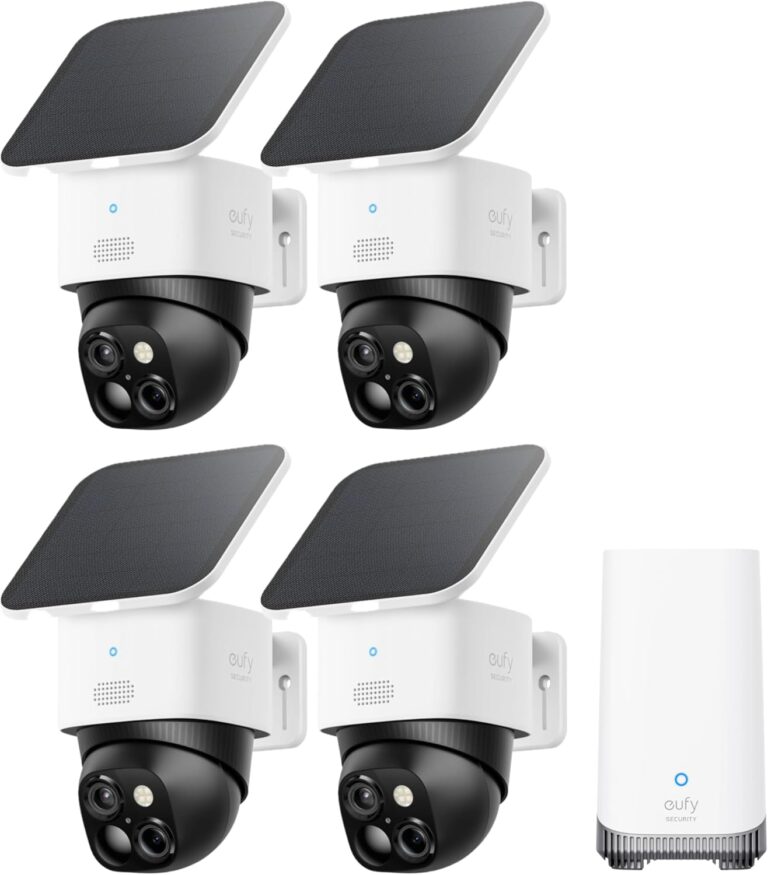
The bundle reviewed here is the 4-camera kit with solar panels, making it a complete outdoor solution. Whether you’re a homeowner looking to monitor a large property, a renter wanting flexible placement, or a small business owner, understanding the strengths and limitations of the Arlo Ultra 3rd Gen is essential before committing to a system that requires a paid subscription for premium features.
The Arlo Ultra 3rd Gen is a wireless, battery-powered outdoor security camera system introduced in 2025. It is part of Arlo’s premium Ultra line, offering the highest video resolution available from the brand. The system is designed for users who want expansive coverage and advanced AI-powered alerts without the need for hardwiring. It works with the included Arlo SmartHub, which connects to your home Wi-Fi on either 2.4 GHz or 5 GHz bands, ensuring a stable connection.
This particular bundle includes four cameras, four solar panels for continuous charging, and a six-month subscription to the Arlo Secure Plus plan. The plan unlocks features like 60-day video cloud storage, AI recognition for specific objects, activity zones, and emergency response. After the trial, a paid subscription is required to keep these capabilities. The target audience includes homeowners with larger properties, tech-savvy users who want custom alerts, and anyone who values 4K clarity for identifying details like clothing colors or vehicle damage.
Below is a breakdown of the most notable features and technical specifications provided by the manufacturer.
| Specification | Details |
|---|---|
| Video Resolution | 4K HDR (2160p) |
| Field of View | 180° diagonal |
| Connectivity | Wireless (2.4/5 GHz via SmartHub) |
| Power Source | Battery + Solar Panel (included) |
| AI Detection | Person, Vehicle, Package, Animal |
| Audio | Two-way with noise cancellation |
| Night Vision | Color with low-light filter |
| SmartHub Included | Yes |
| Subscription Required | For cloud storage & AI features after trial |
It’s important to note that while 4K HDR provides excellent detail, the actual performance depends on lighting, placement, and network strength. The 180° field of view is wide but may cause fisheye distortion at edges. The auto zoom and tracking feature works well for moving subjects but may occasionally overreact to small animals swaying vegetation.
The bundle includes the following items:
Setup involves mounting the cameras using the included screws, inserting the batteries, connecting the SmartHub to your router via Ethernet (also works wirelessly), and then adding cameras through the Arlo app. The solar panels can be attached to the cameras or mounted separately, with a cable that connects to the camera’s Micro-USB port (if applicable; newer models may use magnetic charging—verify compatibility). The app guides you through the process, and most users report a straightforward experience.
Begin by placing the SmartHub near your router and connecting it via Ethernet for the most stable connection. Then download the Arlo Secure app, create an account, and follow the on‑screen instructions to add the SmartHub. Once the hub is online, you can add each camera by scanning the QR code on the device. The app will prompt you to test the Wi-Fi signal strength at the intended mounting location. For best results, stay within the 300‑foot range (open air) from the hub. After pairing, mount the cameras using the included screws (typical installation requires a drill and level). Attach the solar panels and adjust their angle for optimal sun exposure. Finally, customize your detection zones, alert settings, and modes in the app.
Daily use centers on the Arlo Secure app. You can view live feeds, review recorded clips (cloud storage with subscription), adjust camera settings, and enable or disable the siren or spotlight remotely. The AI detection filters motion alerts so you receive only relevant notifications—for example, a person near the front door but not a passing car. The app also lets you create routines (e.g., arm cameras when you leave home via geofencing) and assign custom modes for different times of day. The two‑way audio works well, but be aware that the microphone is sensitive to wind; the noise‑canceling feature helps reduce background noise.
Battery life depends on usage. With the solar panels, you may rarely need to manually recharge. However, if the panels don’t get enough sunlight or you have heavy motion detection activity, you may need to remove the battery and charge it via the included cable (use a standard USB charger). The app shows battery levels for each camera. Clean the camera lens periodically with a soft cloth. The solar panels should be wiped free of dust or snow. Firmware updates happen automatically through the app.
Common issues and suggested solutions (based on user reports):
Arlo specifies that the Ultra 3rd Gen delivers 4K HDR clarity with “bright whites and deep blacks” and a 180‑degree field of view that “captures facial features to ID intruders, car imperfections, and low‑light scenes.” In practice, the video quality is noticeably sharp and vibrant in good lighting, especially when compared to 1080p cameras. The HDR helps balance shadows and highlights, but in very low light, color night vision may shift into black-and-white infrared mode depending on the environment. The auto zoom and tracking is a useful feature, but it can be slow to initiate if the object moves quickly.
AI detection is a major selling point. The system can differentiate between people, vehicles, packages, and animals, reducing false alerts considerably. During initial setup, the app learns the shapes and patterns. In real‑world use, it works reliably for most common scenarios—for example, it almost always alerts for a person walking near the door but rarely triggers for a tree swaying. However, users have reported occasional false positives for moving shadows or small animals at certain angles. The package detection is particularly handy for deliveries, though the camera must be positioned to see the doorstep clearly.
Battery life with the included solar panels is a strong advantage. Arlo claims up to 15% more battery life than the previous generation, and with the panels, many users report months between manual charges. The Low Power Mode further extends battery life by reducing frame rate during idle periods. That said, if the camera is placed in a shaded area or faces north, the solar panel may not provide sufficient charging, especially in winter.
The two‑way audio with noise cancelation is a welcome improvement. Conversations are clearer than earlier Arlo models, though there is still a slight delay over Wi‑Fi. The integrated siren is loud enough to deter casual intruders, and the spotlight helps capture color details at night. Overall, the system offers a premium experience that matches its high‑resolution promise, but it is not without limitations—particularly the ongoing subscription cost for full functionality.
When considering the Arlo Ultra 3rd Gen, it helps to compare it with other premium outdoor security cameras that offer similar resolution or AI features.
For users who prioritize ultra‑wide coverage and the highest possible video clarity, the Arlo Ultra 3rd Gen stands out. However, those who prefer no subscription or want local storage should consider the EufyCam 3. The Ring may be more suitable for Alexa‑centric households with lower budget priorities.
The Arlo Ultra 3rd Gen 4‑Camera bundle with SmartHub, solar panels, and 6‑month Secure Plus plan is available through major online retailers. To ensure you receive the correct region‑specific hardware (U.S. version with English support) and warranty service, purchasing directly from Amazon via the link below is a reliable option.
The Arlo Ultra 3rd Gen delivers impressive video quality with 4K HDR and a 180‑degree field of view that can cover expansive areas. The AI detection reduces nuisances, and the inclusion of solar panels and a six‑month subscription makes it an attractive complete package. However, it is a system designed for users who accept the ongoing cost of a subscription—without it, you lose the very features that set it apart. The 3.8‑star average from initial customer reviews suggests some early glitches, but as firmware updates mature, the experience should improve.
If you value top‑tier resolution, wide coverage, and are comfortable with a monthly plan, this Arlo Ultra 3rd Gen review concludes that it is a worthwhile investment for dedicated security monitoring. For those who prefer a no‑subscription option or have lower video needs, alternative systems like EufyCam 3 or Ring Stick Up may be more suitable. Weigh your priorities carefully before purchasing.
Some basic functions like live view and motion alerts work without a subscription, but advanced features such as AI detection, cloud storage (even for short clips), activity zones, and emergency response require an active Arlo Secure plan. The bundle includes a 6‑month Secure Plus trial.
The Arlo Ultra 3rd Gen does not have a built‑in microSD slot. Local recording via USB or hard drive is not supported natively. You would need a subscription for cloud recording. Some users have set up continuous recording via an Arlo SmartHub with a USB drive, but that feature is limited to specific models (not this one).
Arlo states approximately 3–6 months depending on usage (e.g., number of recordings, motion sensitivity). With heavy activity, you may need to recharge every 2–3 months. The solar panels significantly extend this, often to indefinite operation in sunny climates.
Yes, it is designed for outdoor use. The IP65 rating (inferred from Ultra line) means it is dust‑tight and protected against low‑pressure water jets, making it suitable for rain and snow.
No, the cameras require the SmartHub to connect to the internet. The hub acts as a dedicated bridge, and without it, the cameras cannot be paired or function.
Yes, it works in night vision mode, but the zoom might be less precise in very dark conditions. Color night vision helps retain detail, but the tracking algorithm relies on contrast.
Yes, via the SmartHub, it supports Apple HomeKit, allowing you to view camera feeds and receive notifications in the Home app. Alexa and Google Assistant are also supported.
You can add up to 10 cameras to a single SmartHub (depending on network bandwidth). Simply purchase additional Arlo Ultra 3rd Gen cameras and pair them through the app.
If you found this review helpful, subscribe to our newsletter for more honest, data‑driven product evaluations. We cover everything from smart doorbells to full security systems, helping you make informed decisions for your home.
This article contains affiliate links. As an Amazon Associate, I earn from qualifying purchases. This does not affect the price you pay or our editorial independence. It simply helps support the site’s operation. We only recommend products we believe offer genuine value to our readers.